Kick
Configure the Kick streaming platform with Streamer.bot
The Kick API delivers events via webhooks, which are forwarded to Streamer.bot through the Streamer.bot Website Integration.
This allows for real-time triggers based on Kick events such as new followers, subscriptions, and more.
Initial Setup
Follow the instructions below to get started!
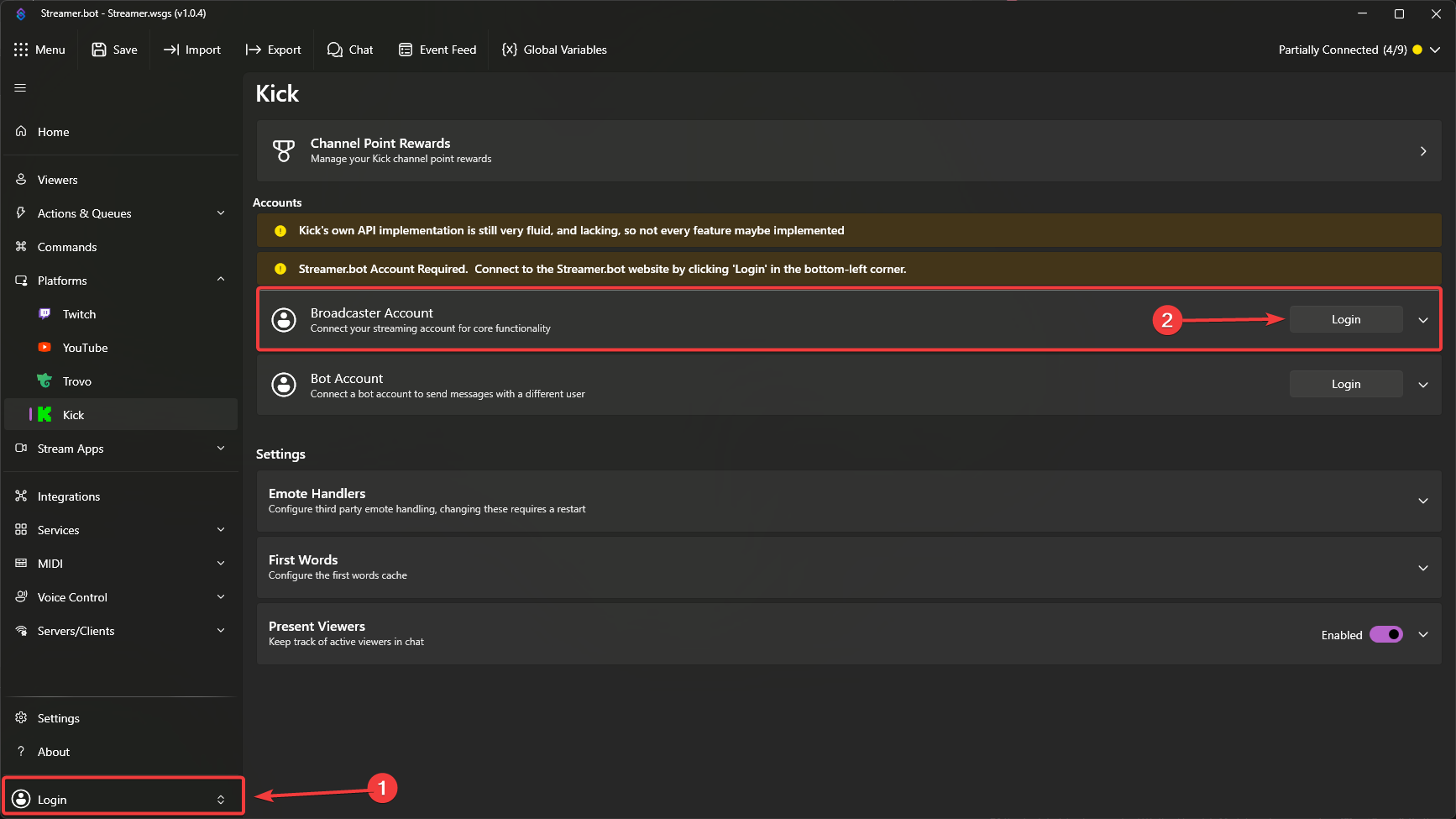
Login to Streamer.bot
This ensures your Streamer.bot instance is connected to the Streamer.bot Website Integration, which is required to receive events from Kick.
Configure Broadcaster Account
- Next to
Broadcaster Account, clickLoginto launch the Kick OAuth screen - Review all permissions granted to Streamer.bot and allow access
Streamer.bot requires all requested permissions to properly integrate with Kick.
If you deny any permissions, the integration may not work correctly.
Configure the Website Integration
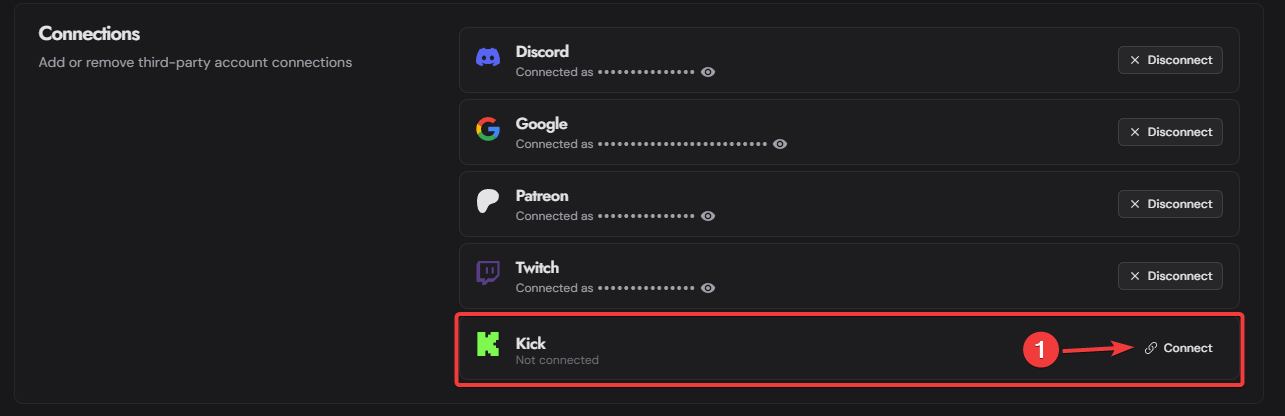
In the Connections section, connect your Streamer.bot account to the same Kick account you used in Step 2 above, by clicking Connect:
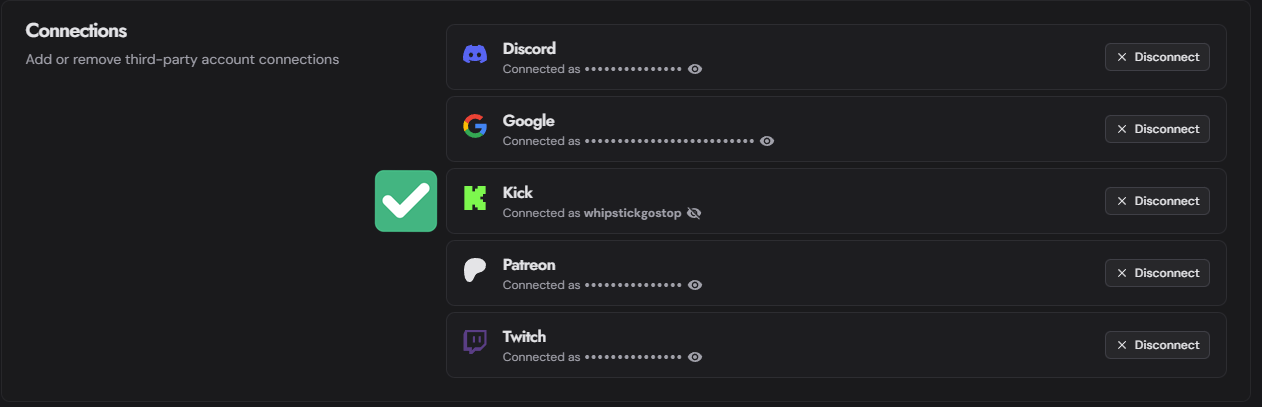
If it is connected successfully, you will instead see "Connected as <your_kick_username>" with the option to disconnect:
Troubleshooting
If you are not receiving Kick events in Streamer.bot, please check the following:
- Ensure your Streamer.bot instance is online and signed into the Streamer.bot Website Integration
- Ensure your Kick account is connected in both Streamer.bot and the Streamer.bot Website Integration
- If you recently connected your Kick account, try restarting Streamer.bot to refresh the connection
- If you have not used the Kick integration for a while, try disconnecting and reconnecting your Kick account on the Streamer.bot Website to refresh the connection
- Check the Kick Integration Status Page
- Ensure you are subscribed to events from Kick
- Check the
Kick API Delayto ensure that there are not currently any issues with the Kick API