StreamFog
Integrate Streamer.bot with StreamFog
Integrate Streamer.bot with StreamFog
Configuration
Sign in to the StreamFog App
- Follow the instructions on the StreamFog app and login with your preferred OAuth provider
Navigate to the StreamFog Integrations Page
- Open the StreamFog app
- Click on the
Streamer.botintegration from the left-hand menu - Press the
"Copy"button to copy your unique Streamer.bot Remote Key - you will need this for the next step when configuring StreamFog!
- Copying the Remote Key
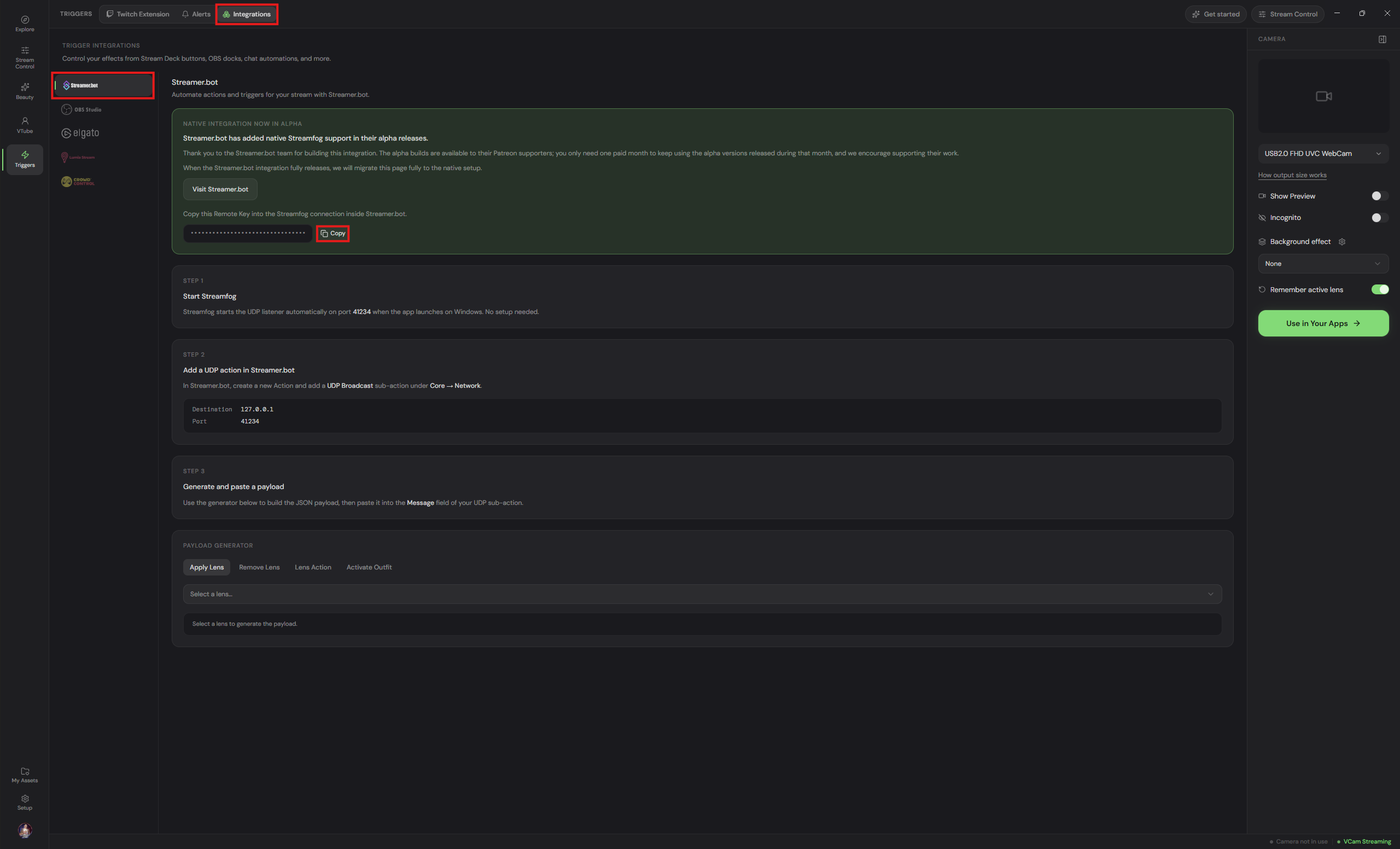 StreamFog Remote Key
Setup the Connection in Streamer.bot
In Streamer.bot, navigate to Integrations > StreamFog
- Enable
Auto Connectto automatically connect to StreamFog when Streamer.bot starts up - Enable
Auto Reconnectto automatically reconnect to StreamFog if the connection is disrupted - Paste your StreamFog Remote Key into the
Remote Keyinput - Click
Connectto start the Connection for the first time (You will notice the word'Connected'under theConnection Statusif the connection is successful)
- Setting up the Connection in Streamer.bot
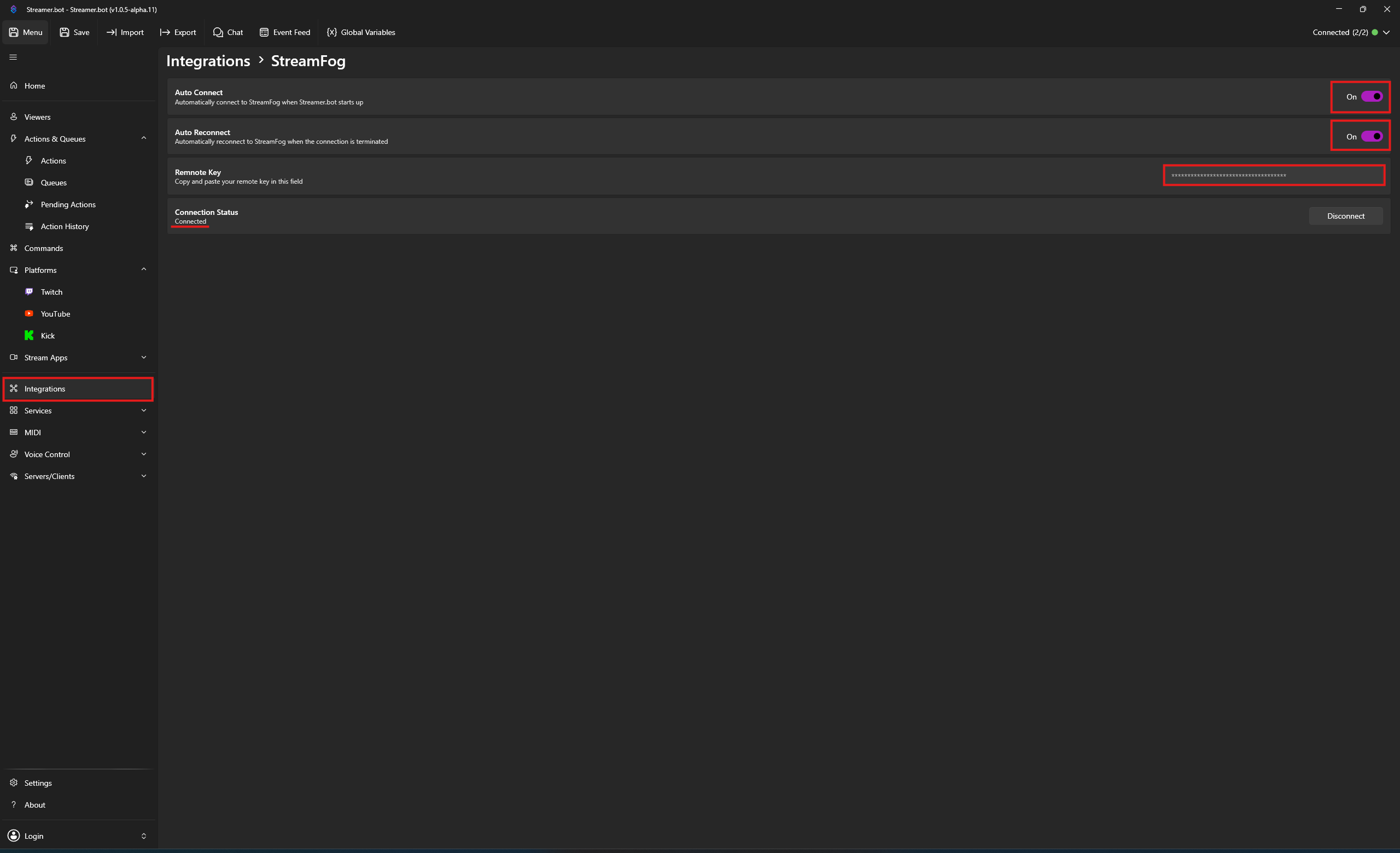 StreamFog Connection Status
StreamFog is now connected to Streamer.bot!