Streaming Platforms
How to connect Streamer.bot to your streaming platform account(s)
Connect your streaming platform account(s) to enable Streamer.bot to receive events and perform actions such as sending messages to your chat.
Streamer.bot supports both Twitch and YouTube as streaming platforms.
Twitch Setup
Connect your Twitch account to Streamer.bot
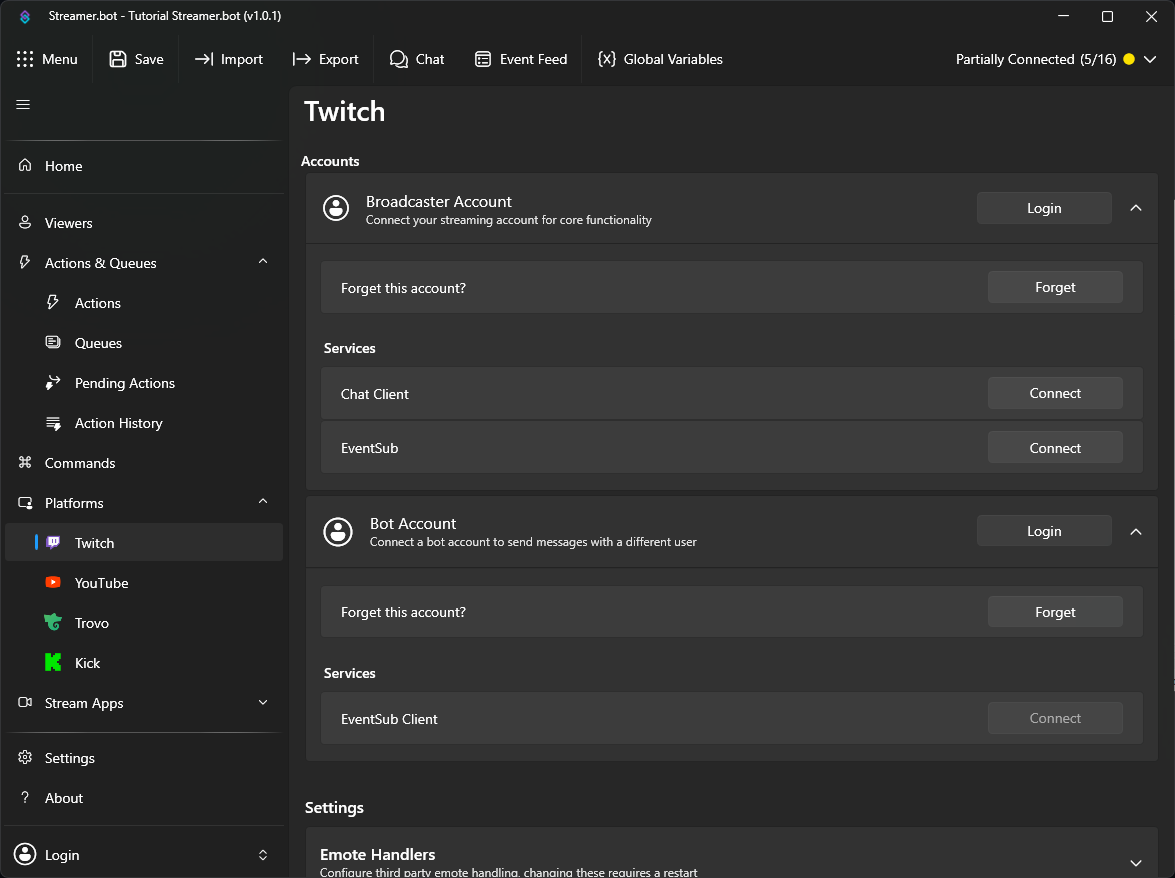
Broadcaster Account
The Broadcaster Account is your primary Twitch account where you host your stream. This connection is required for Streamer.bot to monitor your chat and receive Twitch events.
- Login to Twitch with your primary account
PressLoginto launch the Twitch OAuth screen - Grant permissions
Review all scopes granted to Streamer.bot and allow access to proceed
Bot Account
The Bot Account is an optional second connection if you wish to send chat messages from another account.
- Login to Twitch with a secondary account
PressLoginto launch the Twitch OAuth screen - Grant permissions
Review all scopes granted to Streamer.bot and allow access to proceed
Bot Account has limited permission scope and can only send chat messages or whispers.YouTube Setup
Connect your YouTube account with Streamer.bot
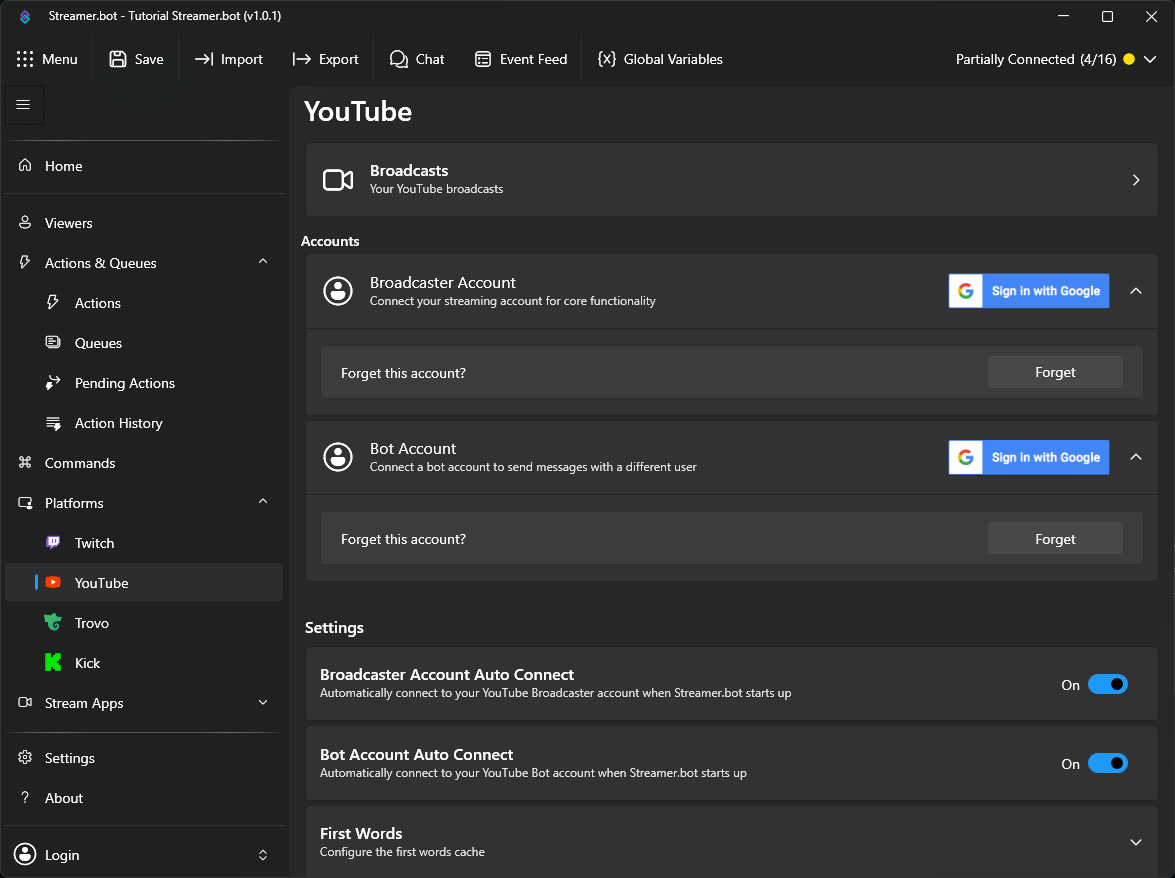
If asked, you must click I Agree to continue to the YouTube configuration screen.
Broadcaster Account
The Broadcaster Account is your primary YouTube account where you host your stream. This connection is required for Streamer.bot to monitor your chat and receive YouTube events.
- Login to YouTube with your primary account
ClickSign in with Googleto launch the Google OAuth screen - Grant permissions
Review all scopes granted to Streamer.bot and allow access to proceed - Auto Connect
EnableAuto Connectto automatically connect to your YouTube account when Streamer.bot starts up
Bot Account
The Bot Account is an optional second connection if you wish to send chat messages from another account.
- Login to YouTube with a secondary account
ClickSign in with Googleto launch the Google OAuth screen - Grant permissions
Review all scopes granted to Streamer.bot and allow access to proceed - Auto Connect
EnableAuto Connectto automatically connect to your YouTube account when Streamer.bot starts up