Lutris Installation
Install Streamer.bot on Linux with Lutris
Whipstickgostop
Streamer.bot on Linux is considered experimental and not officially supported.
If you are using Streamer.bot v1.0.5 or later and experiencing crashes due to
UIAutomationCore.dll, please follow the instructions in the UIAutomationCore Fix guide.Prerequisites
Installation
Download the Lutris Script
Install Streamer.bot with Lutris
Click the + in Lutris and select Install from a local install script
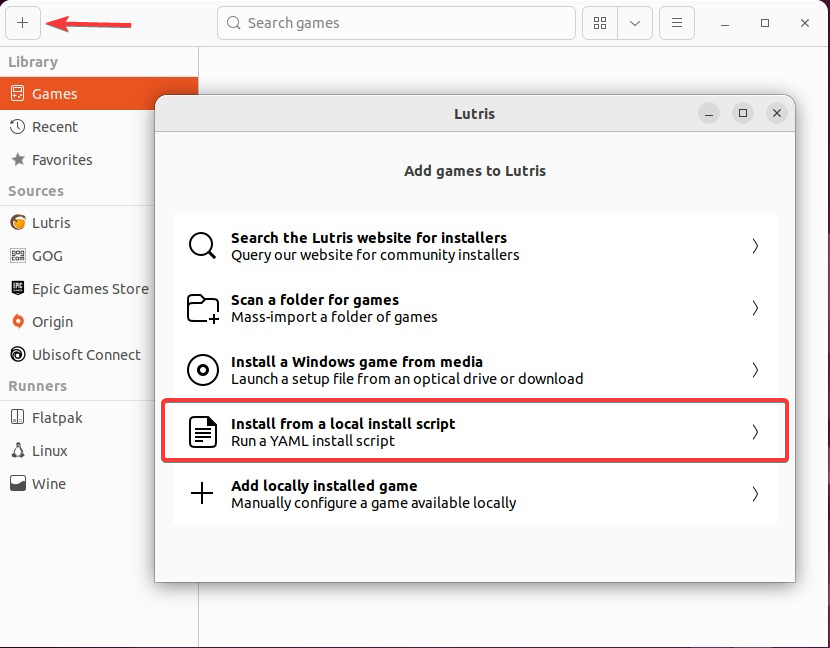
Lutris Add Game Dialog
Select the streamerbot.yaml file you downloaded in the steps above.
Follow the installation steps to install Streamer.bot to your location of choice.
Launch Streamer.bot
You can launch Streamer.bot from Lutris by selecting it in your library and clicking the Run button.