Bottles Installation
Install Streamer.bot on Linux with Bottles
Whipstickgostop
Streamer.bot on Linux is considered experimental and not officially supported.
If you are using Streamer.bot v1.0.5 or later and experiencing crashes due to
UIAutomationCore.dll, please follow the instructions in the UIAutomationCore Fix guide.In this guide, we'll walk through the steps to install Streamer.bot on Linux using Bottles.
Streamer.bot is preconfigured via Bottles' built-in program installers, making the installation process straightforward.
Prerequisites
Installation
Create a new Bottle
- Click the
+icon in the top left corner to create a new Bottle. - Enter a name for your Bottle, e.g.
"Streamer.bot" - Select
Customconfiguration - Ensure
sodais selected as the runner - Click
Create(leave everything else as-is)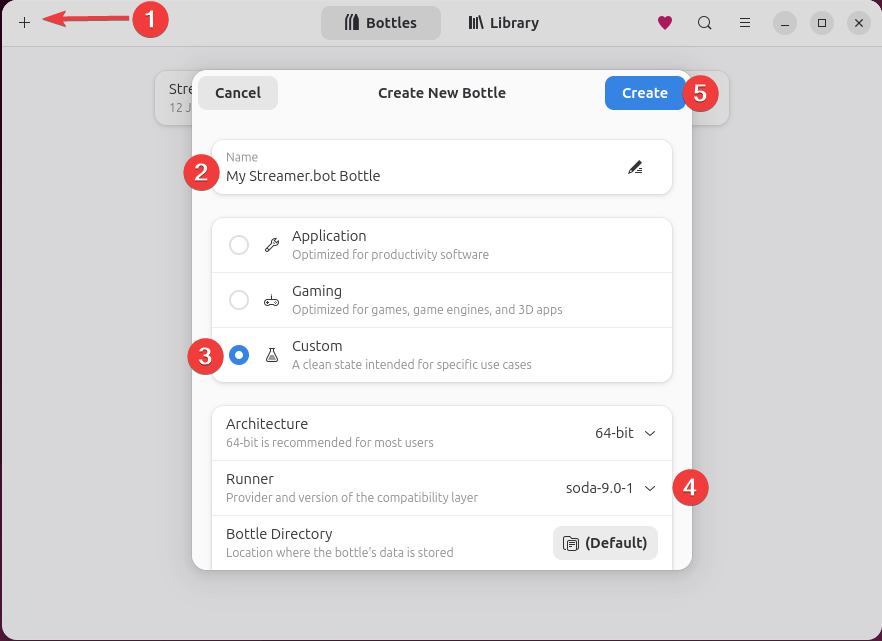 Create and configure a new Bottle for Streamer.bot
Install Streamer.bot
- Select your newly created Bottle from the list
- Click on
Install Programs...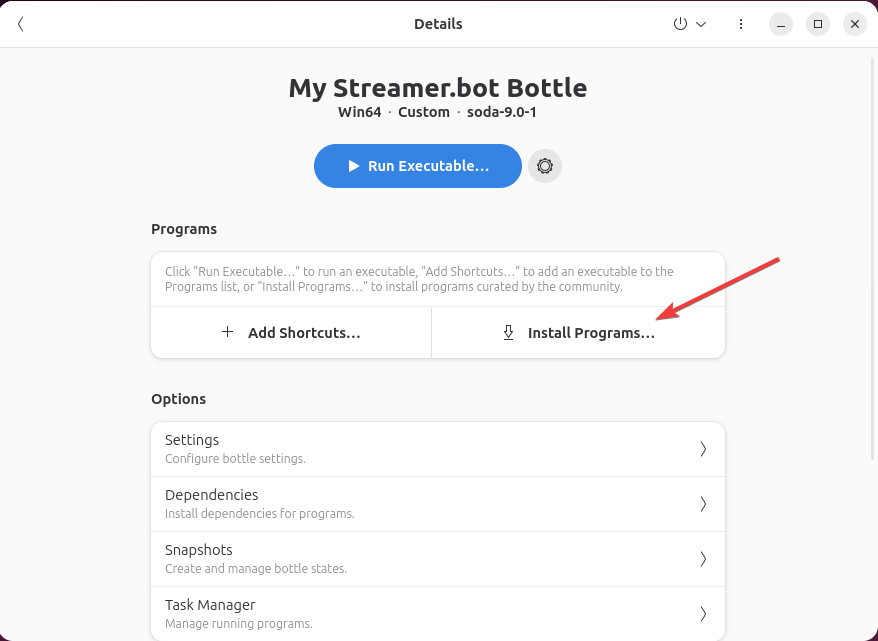 Install Programs in Bottles
 - Select
"StreamerBot"from the list of available programs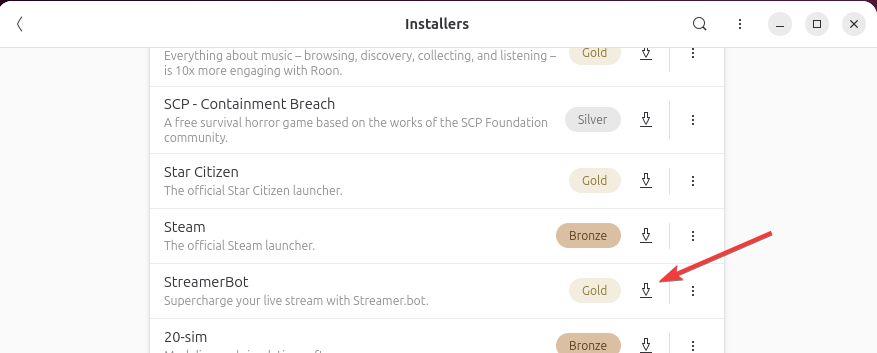 Streamer.bot in the built-in Bottles installers listing
It may take some time for the installation to complete.
Launch Streamer.bot
Click the Run button to launch Streamer.bot from your Bottle

Launch Streamer.bot
You now have Streamer.bot installed on Linux via Bottles!
Tips & Tricks
Fix freezing UI and graphical glitches.
- In some runners or graphic cards, DXVK and VKD3D may cause the UI to glitch or freeze completely.
You can set both toDisabledin the bottle setttings to fix this.
Improve WebView2 Performance
- You can optionally change the runner to
Proton-GEorProton-CachyOSto improve the performance of the Streamer.bot Chat window, C# Code editor and any other WebView2 content.